how to apply US drivers license online: Applying for a U.S. driver’s license is a rite of passage, but the “online” aspect is often misunderstood. While the United States has digitized many parts of the licensing process, it is important to clarify that you cannot obtain a first-time driver’s license entirely from your computer. Because a license serves as a primary government ID and requires a physical skills test, the process is a “hybrid” model.
Here is a comprehensive guide on how to navigate the online components and what to expect during the application process.
Phase 1: Determine Your Eligibility and State Rules
In the U.S., driver’s licenses are issued by individual states, not the federal government. This means the rules in California will differ from those in Texas or New York. Your first step is to visit the official website of your state’s Department of Motor Vehicles (DMV), Bureau of Motor Vehicles (BMV), or Department of Public Safety (DPS).
Most states allow you to start the process online by:
Creating a user profile: This tracks your application progress.
Pre-filling the application form: Entering your name, address, and social security number (SSN) digitally to save time at the office.
Uploading documents: Some states allow you to upload scans of your birth certificate, proof of residency, and SSN card for pre-verification.
Phase 2: Online Education and Written Tests
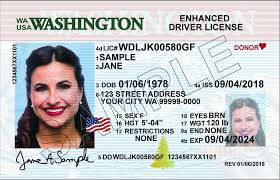
If you are a first-time driver or under a certain age (usually 18 or 25, depending on the state), you may be required to complete a Driver’s Education (Driver’s Ed) course.
Authorized Online Courses: Many states certify third-party websites to provide these courses online. You can study the rules of the road and take quizzes at your own pace.
The Written Knowledge Test: A growing number of states now allow you to take the written permit test online from home. These tests often use “proctoring software” that accesses your webcam to ensure you aren’t using outside help.
Phase 3: The In-Person Requirement
Even if you complete your application and written test online, you must visit a physical office for the following:
Identity Verification: You must present original documents (Passport, Green Card, or Birth Certificate).
Vision Screening: A quick test to ensure you can see road signs clearly.
Photo Capture: Your official license photo must be taken at the DMV.
The Road Test: You cannot prove you can drive a car through a screen. You will need to schedule a “Behind-the-Wheel” exam where an instructor evaluates your driving in real-time.
Phase 4: Fees and Delivery
Once you pass your road test, you can usually pay the licensing fee online or at the kiosk. Your permanent license is rarely handed to you on the spot; instead, you are given a temporary paper permit, and the high-security plastic card is mailed to your registered address within 2–4 weeks.
Summary of Online vs. In-Person Tasks
| Task | Online? | In-Person? |
| Application Form | Yes | Optional |
| Driver’s Ed Course | Yes | Optional |
| Written Knowledge Test | Often | Yes |
| Identity Verification | No | Yes |
| Vision & Road Test | No | Yes |
| Fee Payment | Yes | Yes |
A Note for International Residents
If you are moving to the U.S. from another country, check if your home country has a reciprocity agreement with your specific state. For example, some states allow holders of German or South Korean licenses to exchange them for a U.S. license without taking the road test, though the application and identity check must still be done in person.
